Best Sites to Draw With Friends Online (2026)
September 25, 2026
·

Drawing with friends online used to mean one person streaming while everyone else watched. Now you can all be on the same canvas at once, adding strokes to the same picture and talking while you do it. There are more good options than most people realize, and they're good at different things.
We make Magma, so we're not neutral. We've tried to be fair anyway: every entry below says who the site suits and where it falls short, and every fact about other sites comes from their own pages (checked 25 September 2026).
Quick answer:
Want real painting tools and voice chat, in the browser? Magma.
Want free, open source and long sessions? Drawpile.
Want the simplest free rooms, no account? FlockMod.
Drawing with Japanese friends, casually? Magical Draw.
Mostly whiteboarding or marking up a PDF together? Draw.Chat.
Drawing on your phone? malmal.
Just want to guess drawings? A game like skribbl.io (more on that at the end).
At a glance
Site | Price | Where it runs | Draw on one canvas live | Voice chat | Account needed |
|---|---|---|---|---|---|
Magma | Free; Blaze $9.99/month | Any browser; desktop app for Windows and Mac | Yes, up to 30 per canvas free (50 on Blaze) | Yes | Yes |
Drawpile | Free, open source | Windows, macOS, Linux, Android, browser | Yes | Not listed on its site | Varies by server |
FlockMod | Free | Browser, Windows app | Yes | Not listed; text chat in rooms | No |
Magical Draw | Free | Browser, iOS, Android | Yes, no room size limit | Not listed | No |
Draw.Chat | Free | Browser (desktop, tablet, phone) | Yes | Yes, voice and video | No |
malmal | Free, with optional subscription | Browser, iOS, Android | Yes | Not listed | Not stated |
Kleki | Free, no ads | Browser | No, single-player | – | No |
Checked 25 September 2026 against each site's own pages. "Not listed" means we couldn't find it on the official site, not that it definitely doesn't exist.
1. Magma
Magma is a painting app in your browser that's built around drawing together. You make a canvas, send the link, and your friends draw on it with you, live: you see every brush stroke the moment it's painted. Voice and text chat are built into every canvas.
Magma started life as Aggie.io, a much-loved "draw with friends" site. Aggie grew into Magma, and aggie.io now redirects to magma.com. If you drew on Aggie years ago, this is where it went.
Why people like it
Zero input lag: your strokes are drawn on your device the instant you draw them, even with blending brushes. Each artist paints on their own layers, so nothing waits for the server.
Real painting tools: pen pressure and tilt, brushes that blend like paint, up to 60 layers on the free plan with blend modes and clipping, a stabilizer, perspective grid and liquify.
Up to 30 people on one canvas on the free plan (50 on Blaze), and a Multiboard, an infinite board with many canvases side by side, that holds hundreds of artists. Handy for classes, comic pages and big Art Jams.
A drawing chat and an art community in one: artist profiles, a public gallery, public Art Jams, open canvases, and Artspaces (a bit like Discord for artists, with channels, voice and events).
Layered PSD export on the free plan, so a piece you start together can be finished in Photoshop, Clip Studio Paint, Procreate or Krita.
No generative AI tools. See the AI Art Manifesto.
Where it falls short
You need an account, and an internet connection: there's no offline mode.
No layer groups, masks or animation timeline yet.
The free plan has limits (4096 px canvas, 60 layers). Blaze raises them.
Price: Free (Spark). Blaze is $9.99/month. Devices: Any modern browser on Windows, Mac, Chromebook, Linux, iPad and Android tablets. Desktop app for Windows and Mac (Apple Silicon). Best for: friends who want to actually paint together, with voice, on whatever device they have.
Want to paint on your own first? See painting online for free, or drawing on a Chromebook.
2. Drawpile
Drawpile is a free, open-source drawing program made for exactly this: "multiple people draw, sketch, paint and animate on the same canvas simultaneously." It's been around for years and has a loyal community. The current stable version is 2.3.0, with a 2.3.1 beta out on 23 September 2026 (download page).
Why people like it
Free and open source (GPLv3).
Proper desktop apps for Windows, macOS (Apple Silicon and Intel), Linux and Android.
Animation tools, timelapse and speedpaint recording, and session playback.
You can host your own server, which communities and streamers like.
Where it falls short
It's a download first. There's a browser version at web.drawpile.net, but joining through the browser only works on servers that allow web connections.
No iOS app: Drawpile says Apple doesn't allow it in the App Store, so iPad users use the browser version.
Setting up a session takes a few more steps than sharing a link.
Price: Free. Devices: Windows, macOS, Linux, Android, and the browser (including Safari on iPad). Best for: long drawing sessions with a regular group, people who want open source, and anyone who wants to run their own server.
3. FlockMod
FlockMod is one of the longest-running drawing rooms on the web. Its site says it's been "over 15 years drawing together, every day", with more than 170,000 people signed up and over a million drawings in its gallery.
Why people like it
"Free to use. No account needed. Runs in your browser." Open a room, share the link, draw.
Layers with blend modes, adjustable brushes, and an animation mode for frame-by-frame work.
Chat in every room, plus moderation tools for room owners.
A friendly, long-running community with events. Flocktober 2026 was announced on 24 September.
Where it falls short
The site lists tablet pressure, less lag and sharper graphics as reasons to use the Windows desktop app, so the browser version is the lighter experience.
The desktop app is Windows only.
The toolset is simpler than a full painting app.
Price: Free. Devices: Any browser; desktop app for Windows. Best for: jumping into a room with friends in seconds, no sign-up.
4. Magical Draw (マジカルドロー)
If your friends are in Japan, they probably know Magical Draw. It's the best-known 絵チャ (e-cha, "drawing chat") site in Japan and ranks first there for the term.
Why people like it
Free and anonymous: no registration.
No limit on how many people can join a room.
Layers, pen pressure, stroke correction, replay, and rollback tools against vandalism.
Drawing games, and apps for iOS and Android.
Where it falls short
The interface is mostly Japanese. There's an English option, but much of the site stays in Japanese.
It's built for casual doodling more than finished paintings.
Price: Free. Devices: Browser (PC, phone, tablet), iOS, Android. Best for: casual drawing chats with Japanese friends. Curious what 絵チャ is? We wrote a guide to drawing chat.
5. Draw.Chat
Draw.Chat is really an online whiteboard, but a good one for drawing with someone. Open a board, share the link, and you're both on it, with no account.
Why people like it
Built-in voice and video chat, so you don't need a separate call.
You can draw on PDFs, photos and maps, which makes it great for tutoring, feedback or planning.
Supports pressure and tilt from styluses and graphics tablets.
Works on desktop, tablet and phone.
Where it falls short
It's a whiteboard, not a painting app: pens, highlighter, crayon and eraser rather than paint brushes and layers.
Boards are temporary: unused boards are deleted after 31+ days.
It now includes an AI assistant, if that matters to you.
Price: Free. Devices: Any browser. Best for: sketching ideas together on a call, or drawing over a document.
6. malmal
malmal is a newer take: "draw online with friends on an infinite canvas", with friends or strangers, plus a gallery and profiles. It's especially phone-friendly.
Why people like it
Infinite canvas, public and private boards, chat and a gallery.
Actively developed: the iOS app reached version 2.5.0 in September 2026, adding friends and followers, a lasso tool and a new interface (App Store).
Apps for iPhone, iPad and Android as well as the web.
Where it falls short
It's free to download, but the App Store lists an optional subscription ($5.99/month or $49.99/year) that we couldn't find explained on the website.
The website doesn't list pen pressure, layer or voice-chat details, so try it before you plan a serious painting session around it.
Price: Free, with optional in-app subscription. Devices: Browser, iOS (17.6+), Android. Best for: doodling with friends on your phone.
Not multiplayer, but worth knowing: Kleki
Kleki comes up in every "draw online" search, and it's lovely: a free, ad-free, open-source painting app in the browser, made by the artist and programmer bitbof. But it's single-player. You can't draw on the same canvas as a friend. Kleki's own roadmap lists collaboration only as something to explore later.
Use Kleki for quick solo sketches. When you want to draw together, pick one of the sites above.
What about drawing games?
If what you really want is "draw a thing, friends guess it", you want a game, not a canvas. skribbl.io is the classic free draw-and-guess game in the browser. It's great for a party, but not for making a picture together.
How to choose
How serious is the drawing? For finished paintings, you want pen pressure, layers and blending: Magma or Drawpile. For doodles and games, anything on this list works.
What devices do your friends have? Browser-first sites (Magma, FlockMod, Draw.Chat, Magical Draw) are easiest when everyone's on something different. Drawpile shines when everyone installs it.
Do you want to talk? Magma and Draw.Chat have voice built in. Otherwise, run a call on the side.
Private group or new people? Every site here works by sharing a link or a room. Magma, FlockMod, Magical Draw and malmal also make it easy to meet other artists.
Do you need it offline? Drawing with friends always needs a connection. For solo work offline, a desktop app like Drawpile is the better fit; Magma needs to be online.
How to draw with friends in Magma
Go to magma.com and create a free account (Google, Discord or email).
Start a new canvas.
Copy the link and send it to your friends.
Turn on voice chat and start drawing. You'll see each other's strokes live.
When you're done, export a PNG to post, or a layered PSD to finish in another app.
Before you open the canvas up to a bigger group, have a look at our tips for sharing a canvas. Want to see what a big group can make? These Art Jam pieces were each painted by up to 404 artists on one canvas.
FAQ
What's the best free site to draw with friends online? It depends on what you want. Magma if you want painting tools and voice chat in the browser, Drawpile for a free open-source app, FlockMod for instant rooms with no account, and Magical Draw for casual drawing chats with Japanese friends.
Can I draw with friends online without downloading anything? Yes. Magma, FlockMod, Magical Draw, Draw.Chat and malmal all run in the browser. Drawpile also has a browser version for servers that allow it.
Can I draw with friends online on a phone or iPad? Yes. Magma, Draw.Chat and FlockMod work in mobile browsers, Magical Draw and malmal have iOS and Android apps, and Drawpile runs in Safari on iPad.
Is Kleki multiplayer? No. Kleki is a single-player painting app. You can't draw on the same canvas as someone else.
What happened to Aggie.io? Aggie.io became Magma. The old address now redirects to magma.com, and you can still draw with friends there, with more tools than before. Draw together in Magma.
How many people can draw on one canvas? In Magma, up to 30 at once on the free plan and 50 on Blaze, and a Multiboard holds hundreds. Magical Draw says it has no room limit. Other sites don't publish a number.
Which sites have voice chat? Magma (voice and text on every canvas) and Draw.Chat (voice and video). For the others, run a voice call alongside.
Sources (checked 25 September 2026): Drawpile: drawpile.net, download, browser client docs · FlockMod: flockmod.com · Magical Draw: draw.kuku.lu · Draw.Chat: draw.chat, about · malmal: malmal.app, App Store listing · Kleki: kleki.com/about · skribbl.io: skribbl.io · Magma: pricing, draw together, aggie.io → magma.com (HTTP 301, checked 25 September 2026).


Related articles

Anya Kondratyeva
·
Sep 16, 2024
Read our conversation with Pokemagma, a group of artists focused on drawing Pokemon-inspired scenes in Magma. This long-running event features beautiful backgrounds, inventive collaborations, and heartwarming community spirit. We hope their sweet success story inspires you to start your own collaborative drawing session!
Anya Kondratyeva
·
Aug 30, 2024
Sad Banana, one of our most dedicated artists, shares how Magma's community helped her fall back in love with art.
Anya Kondratyeva
·
June 18, 2024
Read our conversation with the team behind Art Pizza Podcast, an artist collective that hosts delightful drawing events in Magma.


·
Jun 9th, 2023
This recent update is packed with a combination of creative tools and big improvements to the Magma experience.
Magma
·
Jun 14th, 2023
Magma and Wacom provide a powerful platform for creative exploration and collaboration. Artists can start a sketch in Magma with their Wacom drawing tablet or display, share it via Magma, and invite others to contribute or critique, creating an evolving piece of art that is a true testament to collaborative creativity.

Ryan Allan
·
Jun 26th, 2023
Another week and another subject to study as we sharpen our digital painting skills in the Magma Classroom. We’ve already covered the fundamentals of painting in our first set of live streams, and in this one we're doing a study of some kintsugi objects

Ryan Allan
·
Jun 12th, 2023
Here is a quick recap of our recent Magma Classroom LIVE sessions where we make learning art multiplayer. These weekly sessions are aimed at helping beginner digital artists with their painting skills, while giving more experienced ones the opportunity to try painting something different.
Magma
·
May 3rd, 2023
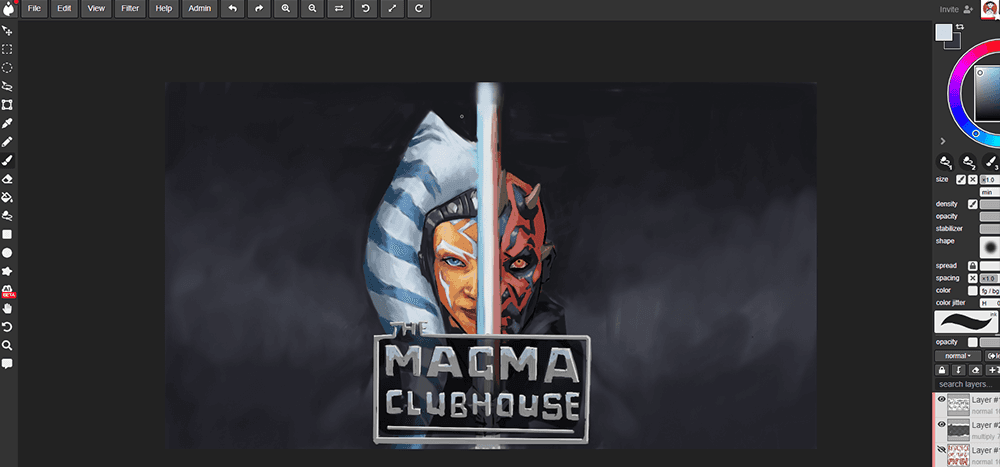
Join us in 2 Star Wars themed livestreams! We will be working together in a shared canvas in both events, while drawing JEDI & SITH artwork. All skill levels are welcome.

Magma
·
May 7th, 2023
In Partnership with the Jane Goodall Roots & Shoots Book Challenge hosted by Upschool, signup now to participate in their art challenge with Magma to bring awareness to global issues
Ryan Allan
·
Oct 25th, 2022
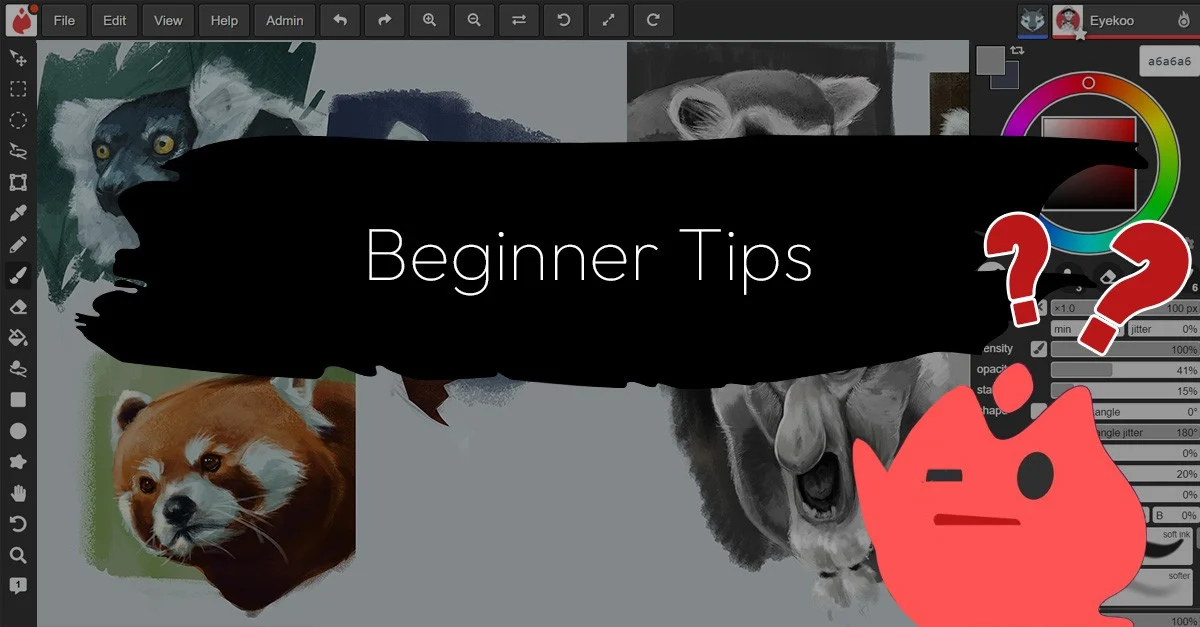
Answering some of the frequent questions from beginners about how to use Magma, and some tools to make things easier.

Magma
·
September 25, 2026
How collaboration works in Clip Studio Paint: EX Teamwork step by step, its limits, and how to draw together live in Magma, then take a PSD back to CSP.

Magma
·
September 25, 2026
Where to draw with friends online: Magma, Drawpile, FlockMod, Magical Draw, Draw.Chat and malmal compared on price, devices, voice chat and best use.